Passkeys: The password killer that's taking its time
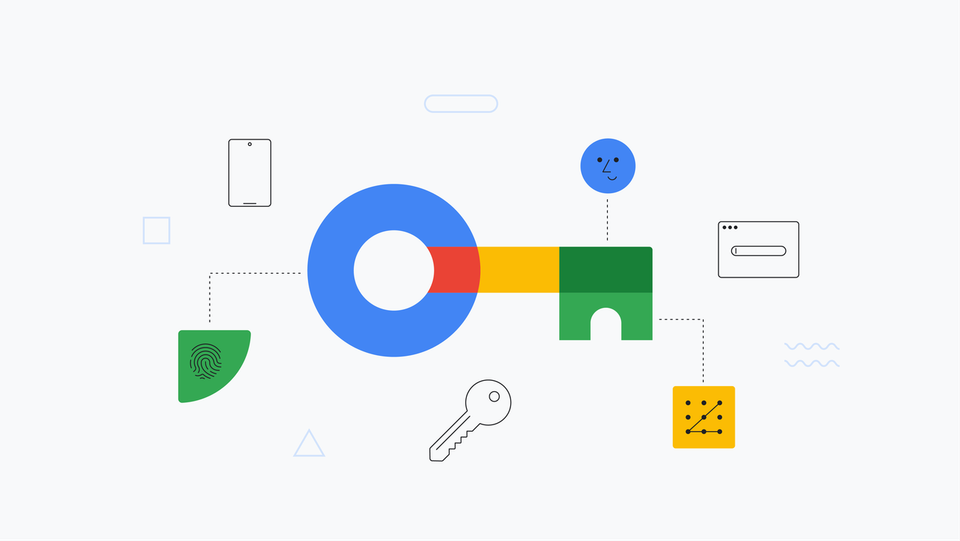
Passwords are terrible. We all know it. They're reused, phished, leaked, and forgotten. The industry has known this for decades, yet here we are in 2026, still typing P@ssw0rd123! into login forms. Passkeys promise to fix this mess—and technically, they do. But the reality of adoption is messier than the marketing materials suggest.
What are passkeys, really?
At their core, passkeys are an implementation of the FIDO2/WebAuthn standard. Instead of shared secrets (passwords) that live on servers and can be stolen in breaches, passkeys use public-key cryptography. Here's how it works:
When you register with a service, your device generates a unique cryptographic key pair. The private key stays locked on your device, protected by your biometric (fingerprint, face) or device PIN. The public key goes to the server. When you sign in, the server sends a challenge, your device signs it with the private key, and the server verifies it with the public key. No password ever travels over the network. No shared secret exists to steal.
This isn't new technology—public-key crypto has been around since the 1970s. What's new is making it accessible to regular users through platform integrations (Apple's iCloud Keychain, Google Password Manager, Windows Hello, etc.) that sync passkeys across devices.
Security: where passkeys actually win
Let's be clear about what passkeys solve:
Phishing resistance: You can't trick someone into typing their passkey into a fake site. The cryptographic challenge is domain-bound—your passkey for github.com won't work on github-login.sketchy-site.com. This alone eliminates the #1 attack vector that compromises accounts.
No breach exposure: When Acme Corp's database gets breached (and it will), attackers get public keys. Those are useless without the corresponding private keys sitting on user devices. Compare this to password breaches where bcrypt hashes can be cracked, or worse, where passwords were stored in plaintext.
Credential stuffing is dead: Since each passkey is unique per service, there's nothing to stuff. No more "I reused my LinkedIn password on 47 other sites" problem.
Built-in MFA: The "something you have" (device) and "something you are" (biometric) are inherent to the passkey flow. You don't need separate 2FA codes.
These are real, substantial security improvements. But let's talk about what passkeys don't solve.
The brutal reality of implementation challenges
For developers
Implementing passkeys isn't as simple as swapping <input type="password"> for a WebAuthn API call. The challenges are real:
Fallback complexity: You can't just turn off passwords overnight. You need to support:
- Users without passkey-capable devices
- Recovery flows when users lose devices
- Enterprise systems that won't support passkeys for years
- Maintaining parallel authentication systems during transition (years, not months)
Browser support inconsistencies: While Chrome, Safari, Firefox, and Edge support WebAuthn, the implementation details vary. Conditional UI (showing passkeys in autofill) works differently across browsers. Some browsers on Linux still have quirks. Testing across platforms becomes a nightmare.
Syncing nightmares: Apple's passkeys sync via iCloud Keychain. Google's via Google Password Manager. Microsoft's via Windows Hello. Cross-platform users face friction. What happens when someone with an iPhone and a Windows PC wants to sign in? They need to scan a QR code with their phone. Every. Single. Time. Unless they create separate passkeys on each platform, which defeats the sync advantage.
Account recovery is still unsolved: Traditional "forgot password" flows don't work. What's your recovery flow when someone loses their device and doesn't have another device with the passkey? Security keys as backup? Recovery codes? Email links that create new passkeys? Each approach has UX and security tradeoffs that you'll be arguing about in product meetings for months.
Session management complexity: Your backend now needs to handle:
- Multiple passkeys per user (phone, laptop, tablet, backup security key)
- Passkey revocation when devices are lost
- Auditing which passkey was used for which login
- Distinguishing between platform authenticators and security keys for risk scoring
For businesses
Enterprise readiness is questionable: Large organizations have specific needs that passkeys struggle with:
- Shared accounts for service accounts, kiosks, or team credentials (passkeys are inherently personal)
- IT departments that need to provision and manage credentials centrally
- Compliance requirements for credential auditing and forced rotation
- Integration with existing SSO/SAML/OIDC infrastructure that wasn't designed for passkeys
Migration is a multi-year project: You can't flip a switch. The transition requires:
- User education (good luck explaining public-key cryptography to non-technical users)
- Gradual rollout with extensive support resources
- Keeping legacy auth systems running indefinitely
- Handling the inevitable support tickets when things don't work
Cost-benefit calculation is unclear: Is the security improvement worth the engineering cost, support burden, and user confusion? For a consumer app with low-value accounts, maybe not. For a bank, absolutely. But most businesses fall somewhere in the middle, and the ROI is fuzzy.
UX friction: The elephant in the room
Passkeys are more secure, but are they more usable? It depends on who you ask:
When passkeys work well:
- Single-device users on modern platforms (iPhone users on Safari, Android users on Chrome)
- Users comfortable with biometrics
- Scenarios where you're already unlocking your device to use the app
When passkeys create friction:
- Cross-platform workflows (mentioned earlier)
- Shared devices (you can't use passkeys on a library computer or friend's laptop)
- Users who disable biometrics for privacy reasons
- Enterprise environments with locked-down devices
- Accessibility concerns (biometrics don't work for everyone)
The discoverability problem: Users don't understand passkeys. When given a choice between "Sign in with passkey" and "Sign in with password," many users default to what they know. UX research shows that without heavy guidance, passkey adoption rates hover around 20-30% even when offered.
The recovery paradox: Making recovery easy enough that users don't get locked out makes the system less secure. Making it secure enough creates support nightmares. There's no good answer here yet.
Browser and platform support: better, but not universal
As of 2026, support is decent but not perfect:
Chrome/Edge (Chromium): Full support, including conditional UI. Works well on Windows (Windows Hello), macOS, Android. Linux support exists but has rough edges.
Safari: Excellent support on Apple devices via iCloud Keychain. Cross-platform story is weaker—you'll use your phone for everything else.
Firefox: Supports WebAuthn but lagged on conditional UI. Improving, but still the weakest of the major browsers.
Mobile: iOS and Android have solid support with platform authenticators. The experience is actually better on mobile than desktop in many cases.
The gaps:
- Older browsers (IE11 is dead, but old Chrome/Safari versions persist)
- Embedded browsers (in-app webviews often have issues)
- Corporate managed browsers with restricted APIs
- Certain Linux configurations
Testing across all these is expensive, and edge cases will bite you.
What Actually Works Today
Despite the challenges, some use cases make sense right now:
Consumer apps with engaged users: If your users are tech-savvy and trust your brand, passkeys can work. GitHub, Google, and Apple themselves have rolled out passkey support with reasonable success for their core users.
High-security scenarios: Banking, healthcare, and government services benefit most from phishing resistance. The UX friction is worth it when protecting sensitive data.
Passwordless secondary devices: Using a passkey on your tablet when your phone has the "main" account works reasonably well within a single ecosystem.
What doesn't work well yet:
- Small business B2B SaaS (enterprises aren't ready)
- Shared/public device scenarios
- Global apps targeting users on older devices in markets with low smartphone penetration
- Anything requiring seamless cross-platform experience
The path forward (realistic edition)
Passkeys will eventually replace passwords, but we're talking decades, not years. Here's what the transition looks like:
Short term (2026-2028):
- Passkeys as optional MFA alternative
- Major platforms (Google, Apple, Microsoft) push adoption
- Niche adoption in high-security scenarios
- Developers maintain dual authentication systems
Medium term (2028-2032):
- Passkeys as primary auth with password fallback
- Enterprise solutions mature
- Recovery patterns standardize
- Browser support becomes universal
Long term (2032+):
- Passwords remain for legacy systems indefinitely
- Younger users may never create passwords for new accounts
- Passkeys become default, but passwords never fully disappear
Should you implement passkeys?
Here's the honest answer:
Yes, if:
- You're a large platform with resources for proper implementation
- You handle high-value accounts where phishing is a real threat
- You can commit to supporting them long-term alongside passwords
- Your users are tech-forward and expect cutting-edge security
Wait, if:
- You're a small team without security expertise
- Your users are non-technical or on older devices
- You can't afford the implementation and support costs
- You're looking for a quick security win (focus on good password policies + 2FA instead)
Don't bother if:
- You need shared accounts or enterprise provisioning
- Your use case involves public/shared devices
- You're targeting emerging markets with low smartphone adoption
The bottom line
Passkeys are the most significant authentication improvement in decades. They solve real problems that passwords create. But they're not a silver bullet, and the transition is messy. The technology is ready; the ecosystem and user behavior are not.
If you're implementing passkeys, go in with eyes open. Budget for complexity, plan for a long transition, and don't sunset passwords anytime soon. The marketing says "passwordless future"—the reality is "passwords and passkeys coexisting for the next 10+ years."
They're worth implementing for the right use cases, but skip the hype and focus on whether they actually solve your problems for your users. Security is about tradeoffs, and passkeys come with real costs alongside their real benefits.